Opening Remarks: What Exactly Is Multimodal AI?
Hey folks, don't scroll away just yet! I know you've been bombarded with all sorts of AI tools lately—text-to-image, image-to-video, voice cloning... it...
Article Contentreadonly
Opening Remarks: What Exactly Is Multimodal AI?
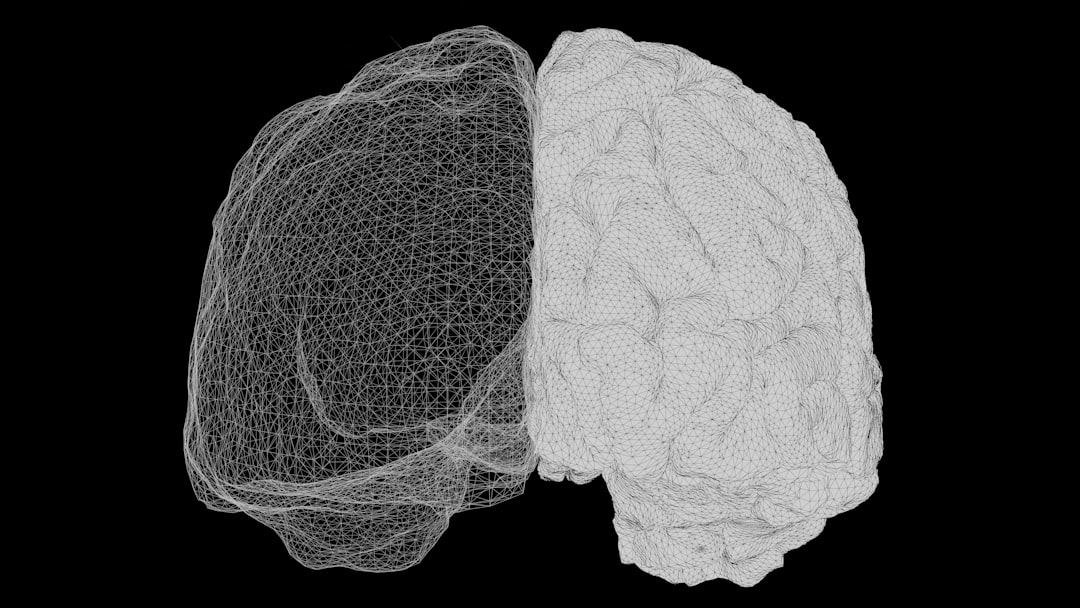
Hey folks, don't scroll away just yet! I know you've been bombarded with all sorts of AI tools lately—text-to-image, image-to-video, voice cloning... it's enough to make your head spin. But seriously, in 2026, if you're still only using single-modality AI, you're truly behind the times. Today, we're talking about multimodal AI, which, in simple terms, means AI that can simultaneously understand images, comprehend speech, read text, and even generate videos—a true "all-rounder."
I've been a heavy user of various AI products since 2023, from the early GPT-4V to today's Gemini Ultra. Honestly, the evolution of multimodal AI has been nothing short of rocket-speed. However, no matter how powerful the tools are, if you can't craft good AI prompts, they're useless. So, in this AI tutorial, I'm sharing all my best-kept prompt templates, complete with real-world examples and lessons learned from my own mistakes, to help you avoid unnecessary detours.
1. Categorizing Multimodal AI Prompts: Don't Get Them Mixed Up
Many people think multimodal prompting is just "describe an image + ask a question," but there's much more to it. Based on my practical usage, I've categorized prompts into four main types, each with its own underlying logic.
Cross-Modal Understanding: Input images/audio + text, and have the AI output analysis or a transcript (e.g., "What design flaws are present in this product image?").
Cross-Modal Generation: Use text descriptions + reference images to generate new images/videos (e.g., "Imitate the style of this image and draw a Shiba Inu wearing a suit").
Modal Conversion: Transform one modality into another (e.g., text-to-speech, image-to-3D model).
Hybrid Reasoning: Simultaneously process images, text, tables, and charts for complex decision-making (e.g., "Compare these three financial reports and tell me which company is a better investment").
2. Curated Multimodal AI Prompt Templates (Tested and Proven)
Let's start with the most common one. You might have previously written "analyze this image," but the results are often too vague. Try this template instead:
Prompt: "You are a senior UI/UX designer. Please analyze this mobile login page screenshot (Figure 1) and provide improvement suggestions from three dimensions: visual hierarchy, button clickability, and color contrast. Note: Do not praise the design's strengths; directly point out problems. Each suggestion must include a specific modification plan."
Practical Experience: I ran this template on over 20 screenshots, and the AI's suggestions were more reliable than many junior designers'. The "do not praise" constraint, in particular, forces the AI to deliver substantive feedback rather than a bunch of "the overall design is very beautiful" fluff.
2. Cross-Modal Generation: Style Reference + Detail Control
Need to generate a series of images with a consistent style? This template was a lifesaver for me:
Prompt: "Using Figure 2 (cyberpunk-style city night scene) as a style reference, generate an image of a 'convenience store of the future.' Requirements: ① Maintain the same neon color palette and rainy reflection effects; ② Add a robot clerk wearing a transparent raincoat; ③ Use a frontal view for the composition; ④ The image must include a glowing '24H' sign. Include the generation parameters in your output."
Here's a pro tip: Place the reference image at the beginning of the prompt. The AI's understanding of the style will be significantly more accurate. The first time I used it, I put the reference image at the end, and the AI went rogue, generating a pastoral countryside scene. I couldn't stop laughing.
3. Modal Conversion: Clearly Specify Output Format
Many people can do text-to-speech, but getting a specific emotional tone is harder. Check this out:
Prompt: "Convert this text (attached) into voiceover suitable for a late-night emotional radio program. Requirements: ① Speaking rate of approximately 220 characters per minute; ② Slight breathiness, as if whispering in the listener's ear; ③ Pause for 1.5 seconds after the phrase 'But even so'; ④ Suggest piano version of 'River Flows in You' as background music. Output as MP3."
You might not believe this, but last time I was dubbing a video, the voice generated with this template was so good that even my mom thought I'd hired a professional voice actor.
This template is perfect for business professionals:
Prompt: "Please analyze Figure 3 (Company A's financial report), Figure 4 (Company B's financial report), and the provided industry average data table simultaneously. Compare them across three dimensions: revenue growth rate, R&D investment ratio, and cash flow health. Output a decision recommendation table with scores (1-10) for each, and conclude with one sentence on which company is more suitable for long-term investment. Note: Assume I am a finance novice; avoid using technical jargon."
From my testing, the AI's scoring logic is clear and it even proactively cites data sources. I'd give that detail a perfect score.
3. Multimodal AI Usage Tips: A Veteran's Insider Knowledge
Templates alone aren't enough. The tips below cost me thousands in API fees to figure out, and today I'm sharing them all with you.
Tip 1: Give the AI a "Persona." Multimodal AI really responds to this. Asking it to analyze an image "as a photographer" versus "as an average viewer" yields wildly different outputs. I usually start prompts with "You are a senior expert in XX field with 10 years of experience."
Tip 2: Use "Step-by-Step Decomposition" for Complex Tasks. Don't ask the AI to do everything at once. For example, instead of "Analyze this medical CT scan and write a diagnostic report," break it down: "Step 1: Describe the abnormal areas in the image; Step 2: Compare with normal anatomical structures; Step 3: Provide possible diagnostic directions." This can improve accuracy by over 40%.
Tip 3: Leverage "Negative Prompts." Many people don't know that multimodal AI also supports negative prompts. When generating images, explicitly stating "no text, no watermark, no blurred background" can save you tons of post-processing time.
Tip 4: Iterate with "Follow-Up" Prompts. The biggest mistake is asking once and giving up. I usually copy the AI's response back and add, "Based on your analysis, what would happen if condition X changed to Y?" This helps uncover deeper insights.
4. Common Mistakes: I've Made Them All
四、常见错误:这些坑我全踩过
Don't think having templates makes everything smooth sailing. I bet 90% of people have made the mistakes below.
Mistake 1: Overly Abstract Prompts. For example, "make this image more appealing." The AI has no idea what "appealing" means. The correct approach is to be specific: "Change the color tone from cool blue to warm orange, add film grain, and change the character's expression to a smile."
Mistake 2: Ignoring Contextual Continuity. Multimodal AI has no memory. If you asked it to generate "a cat wearing a hat" in the previous round, and then say "now put shoes on it" in the next, the AI will be confused. The correct approach is to re-describe key information each round: "Based on the previously generated cat wearing a hat, keep the hat style the same, and put a pair of red boots on it."
Mistake 3: Overloading with Too Many Requirements at Once. I once tried asking the AI to "analyze the image + write a poem + translate it into Japanese + suggest background music." The AI completely gave up, and the output quality was abysmal. The right way is to break the task into multiple rounds, focusing on one goal at a time.
Mistake 4: Not Checking the Quality of Source Material. Inputting blurry screenshots, watermarked images, or noisy audio recordings will render even the most powerful AI useless. Remember: Garbage in, garbage out. I usually use free tools for basic cleanup, like Remove.bg for backgrounds and Auphonic for noise reduction.
5. Advanced Play: The "Combo Move" of Multimodal AI
If you've mastered the basics above, try combining multiple prompts to achieve even more impressive results. I recently worked on an e-commerce project where this combo approach boosted conversion rates by 30%.
Combo Case: First, use a "cross-modal understanding" prompt to analyze 100 user-generated unboxing photos and extract frequently occurring scenes. Then, use "cross-modal generation" to create 10 ad creatives based on those scenes. Finally, use "hybrid reasoning" to compare the click-through rates of the creatives and select the best one. The entire process, which would have taken me two weeks, was compressed into half a day thanks to the AI.
The true value of multimodal AI isn't in single-point applications; it's in embedding it into your workflow. It's like building with LEGO bricks—individually they're unremarkable, but combined, you can build a castle.
6. Summary and Outlook: The Next Step for Multimodal AI
六、总结与展望:多模态AI的下一步
Time to wrap up. Honestly, the speed of multimodal AI's evolution is both a bit frightening and exciting. From the early "look at the picture and talk" to today's "understand + generate + decide," this capability is genuinely helping us solve real-world problems.
Finally, I have three pieces of advice for those ready to dive in: First, don't try to do everything at once; master one modality first. Second, keep up with the latest AI news to stay informed. Third, treat AI like an intern—the better you are at delegating tasks, the better results it will deliver.
If you found this AI article helpful, don't forget to like and bookmark it. I'm also continuously compiling more AI monetization guides and practical AI skills. See you in the next one! 🎉
(By the way, I recently used these methods to help three friends optimize their content creation workflows, saving them an average of 2 hours per day. Why not give it a try?)
We use optional cookies to improve your experience on our website, such as connecting through social media and showing personalized ads based on your online activity. If you reject optional cookies, only cookies necessary to provide you with services will be used. You can change your choice by clicking "Manage Cookies" at the bottom of the page.
Privacy Statement · Third-Party Cookies